OpenVZ vs KVM VPS: Which One Should You Choose?
Choosing a Virtual Private Server is about more than comparing RAM, CPU cores, storage capacity, and monthly price. One of the most important decisions is often hidden beneath the specification table: which virtualization technology should power your VPS?
For many hosting customers, that question eventually becomes an OpenVZ vs KVM comparison.
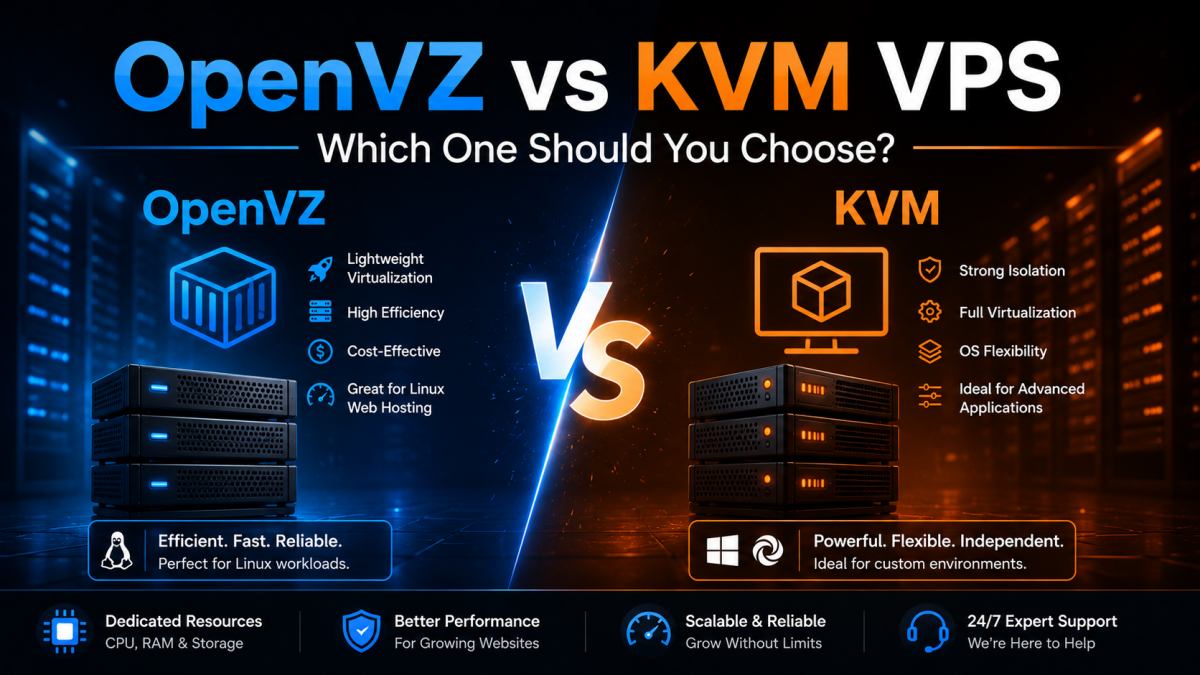 OpenVZ and KVM use different virtualization architectures, making each suitable for different VPS workloads.
Both technologies can be used to create Virtual Private Server environments. Both can power websites, databases, development projects, online stores, and business applications. Both can provide significantly more flexibility than traditional shared hosting. Yet they achieve virtualization in fundamentally different ways, and those architectural differences can influence isolation, operating system flexibility, resource behavior, performance, and the types of workloads each solution handles best.
That may sound highly technical, but the practical decision does not have to be complicated.
Imagine that you are choosing between two types of accommodation. One option gives multiple residents separate living spaces inside a highly optimized building that shares some fundamental infrastructure. The other gives each resident a more independently isolated environment with greater freedom to configure what happens inside.
Neither model is automatically better for every person. The right choice depends on what you intend to do.
In this complete guide, we will explain the OpenVZ vs KVM debate in clear language. We will examine how each technology works, compare performance and isolation, discuss operating system flexibility, explore real-world examples, and help you decide which type of VPS makes more sense for your project.
If you are completely new to virtual servers, you may also want to read our complete beginner's guide to VPS hosting. It explains the fundamentals of virtual servers before you move deeper into specific virtualization technologies.
OpenVZ vs KVM: The Short Answer
If you want the simplest possible explanation before diving into the technical details, here it is:
- OpenVZ uses operating-system-level virtualization and is designed for efficiency, density, and streamlined Linux-based VPS environments.
- KVM uses hardware-assisted full virtualization and gives each virtual machine a more independent environment with its own virtualized hardware and guest operating system kernel.
In practical terms, OpenVZ can be an efficient and cost-effective choice for many conventional Linux hosting workloads. KVM is often preferred when stronger isolation, greater kernel independence, broader operating system flexibility, or more specialized configurations are required.
But that short explanation only tells part of the story.
To make the right decision, you need to understand what actually happens beneath the surface.
What Is Virtualization?
Before comparing OpenVZ and KVM, it helps to understand virtualization itself.
A traditional physical server is a real machine in a data center. It has physical components such as:
- Processors
- RAM
- Storage devices
- Network interfaces
- A motherboard
Without virtualization, one physical server might run one primary operating system and one set of workloads. This can be inefficient when the server has far more capacity than a single application needs.
Virtualization changes the model.
Instead of treating one physical machine as one indivisible computing environment, virtualization technology allows server capacity to be divided into multiple environments. Each environment can then host websites, applications, databases, or other services.
This is the foundation of modern VPS hosting.
However, not every virtualization system divides and isolates resources in the same way. That is precisely why the OpenVZ vs KVM question matters.
What Is OpenVZ?
OpenVZ is an operating-system-level virtualization technology associated with container-based virtualization.
Rather than emulating an entire independent physical computer for every VPS, OpenVZ creates isolated environments that share the host system's underlying kernel.
This architecture can be highly efficient because it avoids some of the overhead associated with running multiple completely independent virtual machines.
A Simple OpenVZ Analogy
Imagine a modern apartment building.
Each resident has a separate apartment with:
- A private entrance
- Their own furniture
- Their own belongings
- A clearly separated living space
However, all apartments are still part of the same building and share fundamental infrastructure.
That is not a perfect technical representation, but it helps explain the basic concept. OpenVZ environments are separated from one another while sharing the host kernel.
Why Is OpenVZ Efficient?
Because OpenVZ does not need to emulate a complete hardware environment for every VPS, it can use physical server resources efficiently.
Potential practical advantages include:
- Low virtualization overhead
- Efficient resource utilization
- Fast environment deployment
- Good performance for suitable Linux workloads
- Cost-effective VPS options
For conventional web hosting, development environments, Linux applications, and many standard server workloads, this efficiency can be attractive.
What Is KVM?
KVM stands for Kernel-based Virtual Machine. It is a virtualization technology built into the Linux kernel that uses hardware virtualization capabilities to create independent virtual machines.
A KVM virtual machine receives virtualized hardware resources and runs its own guest operating system kernel.
This is one of the most important differences in the OpenVZ vs KVM comparison.
A Simple KVM Analogy
Imagine several independent houses within the same residential development.
The houses may exist on shared land and connect to common external infrastructure, but each home is much more independent internally.
Residents have greater freedom over what happens inside their individual property.
Again, no analogy perfectly represents virtualization architecture, but this one captures the practical idea: KVM virtual machines behave more like independent computers.
Why Is KVM So Popular?
KVM is widely valued for:
- Strong workload isolation
- Independent guest kernels
- Broad operating system flexibility
- Custom kernel requirements
- Advanced server configurations
- Predictable virtual machine behavior
For developers, infrastructure specialists, SaaS projects, custom application stacks, and users who want deeper control over their environment, KVM can be particularly compelling.
OpenVZ vs KVM: Key Differences at a Glance
| Feature | OpenVZ | KVM |
|---|---|---|
| Virtualization Type | OS-level / container-based | Hardware-assisted full virtualization |
| Kernel | Shares host kernel | Guest VM runs its own kernel |
| Isolation | Container-level isolation | Stronger VM-level isolation |
| Overhead | Generally low | Typically higher than container virtualization |
| OS Flexibility | More constrained by host architecture | Broader guest OS flexibility |
| Custom Kernel | Generally not independently replaceable | Supported within guest VM capabilities |
| Resource Efficiency | Very efficient | More complete virtualization layer |
| Best For | Efficient Linux workloads and conventional hosting | Custom environments and workloads needing greater independence |
This table gives you the basic picture, but several of these differences deserve a much closer look.
OpenVZ vs KVM Architecture: Why the Kernel Matters
The kernel is the core component of an operating system. It manages communication between software and hardware resources, including:
- CPU scheduling
- Memory management
- Processes
- Devices
- System calls
In an OpenVZ environment, containers share the host system's kernel. Each environment remains isolated at the container level, but the underlying kernel is common.
With KVM, each virtual machine can run its own guest kernel.
This distinction matters when your project requires:
- Specific kernel modules
- Custom kernel configurations
- Specialized low-level software
- Greater operating system independence
For a typical website, this may not matter at all. A WordPress blog, company website, or conventional PHP application usually does not need a custom kernel.
For a specialized infrastructure project, however, kernel independence can become a decisive requirement.
OpenVZ vs KVM Performance: Which Is Faster?
This is one of the most common questions, and the answer requires nuance.
KVM is not automatically faster than OpenVZ, and OpenVZ is not automatically faster than KVM in every workload.
Performance depends on the complete hosting environment, including:
- Physical CPU generation
- CPU allocation policies
- Available RAM
- Storage technology
- Storage contention
- Network capacity
- Host node load
- Virtualization configuration
- Application architecture
- Database optimization
OpenVZ can offer excellent efficiency because container-based virtualization introduces relatively little overhead. For standard Linux workloads, that can translate into very responsive performance.
KVM introduces a fuller virtualization boundary, but modern hardware-assisted virtualization is highly mature and efficient. A properly configured KVM VPS can deliver excellent and predictable performance.
Example: A Small WordPress Website
Imagine a company website running:
- WordPress
- A lightweight theme
- Ten plugins
- Moderate traffic
- Page caching
In this case, the virtualization technology itself may not be the primary performance bottleneck. CPU allocation, database configuration, caching, PHP setup, and storage speed may matter more.
Example: A Specialized Application Stack
Now imagine a development team that needs:
- Custom kernel behavior
- Special networking configuration
- Specific low-level modules
- A highly controlled guest environment
Here, KVM's architectural independence may be much more important than small theoretical differences in virtualization overhead.
The key lesson is simple: choose virtualization according to workload requirements, not a single benchmark chart.
Resource Isolation: A Major Part of the OpenVZ vs KVM Debate
Resource isolation is one of the strongest arguments in favor of KVM for demanding or sensitive workloads.
Because a KVM instance operates as a virtual machine with its own guest environment, the separation between instances is architecturally different from container-based OpenVZ virtualization.
This can be valuable for projects where consistent behavior and environmental independence are priorities.
However, it would be misleading to claim that every OpenVZ VPS is inherently unstable or that every KVM VPS automatically delivers perfect performance.
Provider quality still matters enormously.
A well-managed OpenVZ infrastructure can outperform a badly overloaded KVM host. Likewise, a carefully provisioned KVM platform can provide excellent resource consistency and isolation.
When evaluating a VPS, look beyond the virtualization label. Consider:
- Provider reputation
- Host node quality
- CPU specifications
- Storage architecture
- Support quality
- Backup strategy
- Network reliability
OpenVZ vs KVM and the Question of Overselling
Overselling is frequently discussed in VPS communities, but the topic is often oversimplified.
In general terms, overselling means allocating or selling more theoretical capacity than would be available if every customer used their maximum allocation simultaneously.
Because container-based environments can support flexible and efficient resource management, OpenVZ has historically been associated with aggressive overselling by some low-quality providers.
But there is an important distinction:
The possibility of poor resource management does not mean the virtualization technology itself is poor.
A responsible provider can operate OpenVZ infrastructure effectively. An irresponsible provider can also overload physical infrastructure supporting other virtualization technologies.
KVM is sometimes marketed as if overselling or contention were impossible. That is too simplistic. Physical host resources, especially CPU, storage, and network capacity, still require responsible management.
Therefore, do not make your entire decision based on marketing claims about overselling. Evaluate the complete service.
Operating System Flexibility
Operating system flexibility is another important difference in the OpenVZ vs KVM comparison.
OpenVZ
Because OpenVZ containers share the host kernel, operating system choices are constrained by that underlying architecture. OpenVZ is fundamentally associated with Linux-based container environments.
For many web hosting users, this is not a problem. Linux is an excellent platform for:
- WordPress
- Drupal
- PHP applications
- MySQL and MariaDB
- Web servers
- Development tools
KVM
KVM provides broader guest operating system flexibility because each VM has a more independent virtualized environment.
This can be valuable when you need:
- A specific Linux distribution
- An independent kernel
- A specialized OS configuration
- Greater control over the complete software stack
Before ordering any VPS, always check the operating system images actually offered by the provider. The theoretical capabilities of a virtualization platform do not guarantee that every possible operating system is available on a specific hosting plan.
OpenVZ vs KVM for WordPress Hosting
Suppose you run a growing WordPress website. Which VPS should you choose?
For many standard WordPress workloads, both OpenVZ and KVM can work very well.
Your WordPress performance may depend more heavily on:
- Available RAM
- CPU performance
- PHP configuration
- Object caching
- Page caching
- Database optimization
- Plugin quality
- Theme efficiency
- Storage performance
When OpenVZ Can Make Sense for WordPress
An OpenVZ VPS may be attractive when you want an efficient Linux environment for a conventional WordPress stack and do not require custom kernel functionality.
Example:
You manage five company websites built with WordPress. They receive moderate traffic, use standard PHP and database services, and need more resources than shared hosting can comfortably provide. You do not need specialized kernel modules.
In this scenario, OpenVZ may be a perfectly sensible option.
When KVM Can Make Sense for WordPress
KVM may be attractive when you want stronger environmental independence, more control over the operating system stack, or expect the server to support additional custom services.
Example:
You operate a large WooCommerce site alongside custom background workers, monitoring services, staging environments, and specialized infrastructure components.
In that situation, KVM's flexibility may be more valuable.
OpenVZ vs KVM for eCommerce
Online stores create more demanding workloads than simple static websites.
An eCommerce server may need to handle:
- Product searches
- Customer sessions
- Shopping carts
- Inventory queries
- Payment workflows
- Admin operations
- Background jobs
- Traffic spikes
Both OpenVZ and KVM can host eCommerce applications successfully, but you should focus on workload characteristics.
Example: Small PrestaShop Store
Imagine a store with:
- 1,500 products
- Moderate daily traffic
- A standard Linux stack
- No custom kernel requirements
- Predictable seasonal growth
A properly sized OpenVZ VPS could be a practical and efficient choice.
Example: Complex High-Growth Store
Now imagine a larger operation with:
- Multiple integrations
- Custom background services
- Large databases
- Complex deployment workflows
- Advanced monitoring
- Specialized security requirements
A KVM environment may provide the independence and flexibility the technical team prefers.
The platform name alone should not decide the outcome. Match the VPS architecture and resource allocation to the actual store.
OpenVZ vs KVM for Developers
Developers often have different priorities from conventional website owners.
A developer may need:
- Root access
- Custom packages
- Specific runtime versions
- Development databases
- CI/CD tools
- Testing environments
- Custom networking
OpenVZ can work very well for many Linux development environments, particularly when efficiency and straightforward deployment are priorities.
KVM becomes especially attractive when a developer needs deeper control over the guest operating system or wants a VM that behaves more like an independent server.
Practical Example
A freelance PHP developer needs a server for:
- Nginx
- PHP
- MariaDB
- Git
- Several staging websites
An OpenVZ VPS may handle this workload efficiently.
A systems developer testing kernel-related software or specialized low-level configurations will likely find KVM more appropriate.
OpenVZ vs KVM for Docker and Containers
This is an area where you should examine requirements carefully.
Container technologies such as Docker depend on kernel features, namespaces, control groups, storage drivers, and host capabilities. Running container workloads inside another containerized virtualization environment can introduce restrictions depending on the exact platform and provider configuration.
KVM generally gives users a more independent guest environment, which can make it a natural choice for complex Docker deployments.
That does not mean containers can never be used in OpenVZ-based environments. Capabilities vary according to the OpenVZ generation, host configuration, and provider policies.
If Docker is central to your project, verify exact support before ordering.
For a serious container platform, KVM is often the more straightforward choice because of its independent VM architecture.
OpenVZ vs KVM for Agencies Hosting Multiple Websites
Imagine a digital agency managing 30 client websites.
The portfolio includes:
- WordPress sites
- Landing pages
- Small business websites
- A few online stores
The agency needs:
- Centralized management
- Good performance
- Predictable costs
- Room for growth
An efficient OpenVZ VPS may be an excellent fit when the workloads are conventional and Linux-based.
However, suppose the agency also hosts:
- Custom Node.js applications
- Containerized services
- Complex staging environments
- Specialized customer stacks
In that case, KVM's broader flexibility may become more attractive.
OpenVZ vs KVM for SaaS Applications
SaaS projects can vary enormously.
A simple early-stage application may run comfortably in a standard Linux VPS environment. A mature SaaS platform may require:
- Background workers
- Queues
- Multiple databases
- Monitoring agents
- Container orchestration
- Custom networking
- Automated deployment systems
For straightforward SaaS workloads without specialized low-level requirements, OpenVZ can still be viable.
For more complex infrastructure, KVM often becomes the preferred architecture because engineering teams value stronger VM independence and broader control.
OpenVZ vs KVM Security
Security should never be reduced to a single label.
KVM's full virtualization model provides a stronger architectural separation between guest virtual machines. Each VM runs its own guest kernel, which is an important advantage for workloads where isolation is a major priority.
OpenVZ provides container-level isolation while sharing the host kernel. This is a different security architecture and should be evaluated accordingly.
However, actual server security also depends on:
- Patch management
- SSH configuration
- Firewall rules
- Application security
- Password policies
- Malware prevention
- Backup procedures
- Monitoring
- Provider infrastructure
A poorly maintained KVM VPS can be compromised. A carefully maintained OpenVZ environment can be highly effective for appropriate workloads.
Virtualization technology is one layer of security, not the entire security strategy.
OpenVZ vs KVM and Website Uptime
Does KVM automatically provide better uptime than OpenVZ?
No. That claim would be too simplistic.
Website availability depends on many factors:
- Physical host reliability
- Power infrastructure
- Network redundancy
- Storage reliability
- Resource management
- Software configuration
- Monitoring
- Maintenance quality
The virtualization layer matters, but it is only one component of the complete hosting platform.
If you want to understand the real numbers behind availability promises, read our detailed explanation of 99.9 uptime meaning. It shows how seemingly tiny percentage differences translate into real minutes and hours of potential downtime.
OpenVZ vs KVM and Storage Performance
Storage can have a major effect on VPS responsiveness.
A fast virtualization platform cannot compensate for severely overloaded or slow storage infrastructure.
Storage performance affects:
- Database queries
- WordPress administration
- File operations
- Application startup
- Logging
- Backups
- eCommerce searches
This is why the underlying storage technology deserves attention when comparing VPS offers.
For a deeper explanation, see our guide to SSD vs HDD hosting, where we examine how storage architecture can influence website and server performance.
OpenVZ vs KVM for Small Business Websites
For a typical small business, the answer is often simpler than technical forums make it appear.
Suppose your company needs to host:
- A WordPress website
- Business email-related services
- A customer portal
- A moderate database
If everything runs on a conventional Linux stack and you do not need a custom kernel, OpenVZ may offer excellent value.
If your company needs:
- Specialized server software
- Greater OS independence
- Advanced custom configurations
- More isolated infrastructure
KVM may be the stronger choice.
Do not pay for technical flexibility you will never use. But equally, do not choose an environment that restricts capabilities your project genuinely requires.
OpenVZ vs KVM: Which Is Better for Beginners?
Virtualization architecture alone does not determine ease of use.
A beginner's experience depends heavily on:
- Control panel availability
- Pre-installed software
- Documentation
- Technical support
- Server management responsibilities
A beginner can struggle with an unmanaged KVM VPS. The same beginner can also struggle with an unmanaged OpenVZ VPS.
Conversely, a suitable control panel and well-designed management environment can make VPS administration much more approachable.
If you are moving from shared hosting for the first time, start by asking:
- Do I need root access?
- Can I manage Linux updates?
- Who handles security patches?
- Do I need a control panel?
- What happens if a service fails?
These questions may be more important than OpenVZ versus KVM alone.
Common Myths About OpenVZ vs KVM
Myth #1: KVM Is Always Faster
Not necessarily. Performance depends on hardware, allocation, storage, network capacity, host load, and workload characteristics.
Myth #2: OpenVZ Is Only for Tiny Websites
False. Properly provisioned OpenVZ environments can support substantial Linux workloads.
Myth #3: KVM Can Never Experience Resource Contention
False. KVM instances still run on physical infrastructure. CPU, storage, and network resources must still be managed responsibly.
Myth #4: OpenVZ and KVM Are Basically the Same
False. Their virtualization architectures are fundamentally different.
Myth #5: Every Website Needs KVM
False. Many conventional websites do not need independent kernels or advanced virtualization features.
Myth #6: OpenVZ Is Always the Cheapest Choice
Not necessarily. Actual pricing depends on the provider, plan specifications, infrastructure, support, and included services.
Five Real-World Scenarios: Which VPS Would We Choose?
Scenario 1: A Growing WordPress Blog
The website receives increasing traffic and has outgrown shared hosting. It uses a conventional Linux, PHP, and database stack.
Likely choice: OpenVZ can be a strong, efficient option, assuming the plan provides adequate CPU, RAM, and storage performance.
Scenario 2: A Developer Testing Custom Kernel Features
The project requires kernel-level flexibility and specialized modules.
Likely choice: KVM, because the independent guest kernel is central to the requirement.
Scenario 3: A Small PrestaShop Store
The store has moderate traffic, a standard software stack, and no unusual system requirements.
Likely choice: Either technology can work. A well-sized OpenVZ VPS may offer excellent efficiency and value.
Scenario 4: A Complex Docker-Based Application
The engineering team runs multiple containers and needs extensive control over the environment.
Likely choice: KVM is generally the more natural fit for this type of workload.
Scenario 5: A Web Agency with 25 Client Sites
Most sites use WordPress and conventional Linux hosting software.
Likely choice: OpenVZ can make strong practical sense, although KVM may be preferable if the agency expects more diverse custom workloads.
How to Choose Between OpenVZ and KVM
Instead of asking, "Which technology is universally better?", ask a more useful question:
"Which virtualization architecture better matches my workload?"
Choose OpenVZ When:
- You primarily run standard Linux workloads
- You value virtualization efficiency
- You do not need a custom guest kernel
- You host conventional websites and applications
- You want a practical, cost-conscious VPS solution
Choose KVM When:
- You need an independent guest kernel
- You value stronger VM-level isolation
- You require greater OS flexibility
- You run specialized applications
- You need advanced custom configurations
- You plan complex containerized workloads
For many users, that simple checklist will make the decision much easier.
What Specifications Matter Beyond Virtualization Type?
One of the biggest mistakes buyers make is focusing entirely on OpenVZ vs KVM while ignoring the rest of the server.
You should also evaluate:
CPU Resources
How many cores or vCPU resources are available? What workloads will compete for processor time?
RAM
Does your application have enough memory for the operating system, database, web server, caching, and peak traffic?
Storage
How much capacity do you receive, and what storage technology supports the platform?
Data Transfer
Can the plan comfortably handle your expected traffic?
Root Access
Do you need complete administrative control?
Operating System Choices
Is your preferred distribution or system actually available?
Backups
What is backed up, how often, and how quickly can data be restored?
Technical Support
What level of assistance is included?
A well-matched VPS is the result of all these factors working together.
Explore OpenVZ and KVM VPS Options at AsterHost
At AsterHost, you do not have to treat VPS hosting as a one-size-fits-all product. You can explore virtualization options designed for different technical priorities and project requirements.
If you value an efficient Linux-based virtual server environment, explore our OpenVZ VPS hosting options.
If your project benefits from full virtualization, an independent guest environment, and greater configuration flexibility, review our KVM VPS hosting plans.
Not sure whether you need a VPS at all? Start with our What Is VPS Hosting guide or compare Shared vs VPS Hosting before making your decision.
Which VPS Technology Fits Your Project Best?
The OpenVZ vs KVM debate does not have a universal winner because the two technologies solve virtualization requirements differently.
OpenVZ stands out for efficient operating-system-level virtualization and can be an excellent fit for conventional Linux workloads, web hosting, development environments, and projects that do not require an independent kernel.
KVM provides a more independent virtual machine architecture, making it particularly attractive for users who need stronger isolation, custom kernels, broader guest operating system flexibility, or specialized infrastructure configurations.
For a growing WordPress site, a standard company website, or a conventional Linux application, OpenVZ may provide everything you need. For advanced development environments, complex container workloads, custom system configurations, or projects where VM-level independence is a priority, KVM may be the better investment.
The most important principle is simple: do not choose a VPS because one technology sounds more powerful in a marketing comparison. Choose according to your actual workload, technical requirements, growth plans, and management capabilities.
A well-chosen VPS should not merely host your project today. It should provide a stable foundation for what your project may become tomorrow.
Frequently Asked Questions About OpenVZ vs KVM
What is the main difference between OpenVZ and KVM?
The main difference is the virtualization architecture. OpenVZ uses operating-system-level virtualization in which isolated environments share the host kernel. KVM uses hardware-assisted full virtualization, allowing each virtual machine to run its own guest operating system kernel.
Is KVM better than OpenVZ?
Not universally. KVM is often better for projects requiring stronger VM-level isolation, an independent kernel, or greater operating system flexibility. OpenVZ can be highly efficient and well suited to conventional Linux hosting workloads.
Is OpenVZ faster than KVM?
OpenVZ can have low virtualization overhead, but real-world speed depends on CPU allocation, RAM, storage, network capacity, host load, and application configuration. Neither technology is automatically faster in every scenario.
Is KVM better for WordPress?
Not necessarily. Both KVM and OpenVZ can host WordPress effectively. For many WordPress sites, available CPU, RAM, caching, database optimization, PHP configuration, and storage performance matter more than the virtualization label alone.
Can I run Docker on OpenVZ?
Docker compatibility depends on the OpenVZ version, kernel capabilities, host configuration, and provider policies. If complex Docker workloads are central to your project, KVM is often the more straightforward option because it provides a more independent guest environment.
Which is better for eCommerce: OpenVZ or KVM?
Both can support eCommerce workloads. A conventional store may run very well on a properly sized OpenVZ VPS, while complex stores with specialized services, advanced deployment requirements, or custom infrastructure may benefit from KVM.
Does KVM provide better security?
KVM offers stronger VM-level architectural isolation because each virtual machine has its own guest environment and kernel. However, overall security also depends on patching, firewall configuration, application security, access controls, monitoring, and provider infrastructure.
Which VPS is better for beginners?
Ease of use depends more on server management, control panels, pre-installed software, and support than on virtualization technology alone. Beginners should consider how much administration they are expected to handle.
Is OpenVZ good for business websites?
Yes. OpenVZ can be an efficient option for business websites running conventional Linux-based software, provided the VPS offers sufficient resources and the project does not require an independent kernel or specialized low-level configuration.
When should I choose KVM?
Choose KVM when your project requires stronger virtual machine isolation, an independent guest kernel, specialized system configurations, greater operating system flexibility, or complex infrastructure workloads.
Best Web Hosting https://besthostingcom.duoservers.com/ Shared Hosting, VPS Hosting, Dedicated Servers
Tags: KVM, kvm vps, Linux VPS, OpenVZ, openvz vps, OpenVZ vs KVM, OpenVZ vs KVM VPS, server virtualization, virtual private server, VPS comparison, VPS hosting, VPS virtualization, web hosting


